Keep limits in sight.
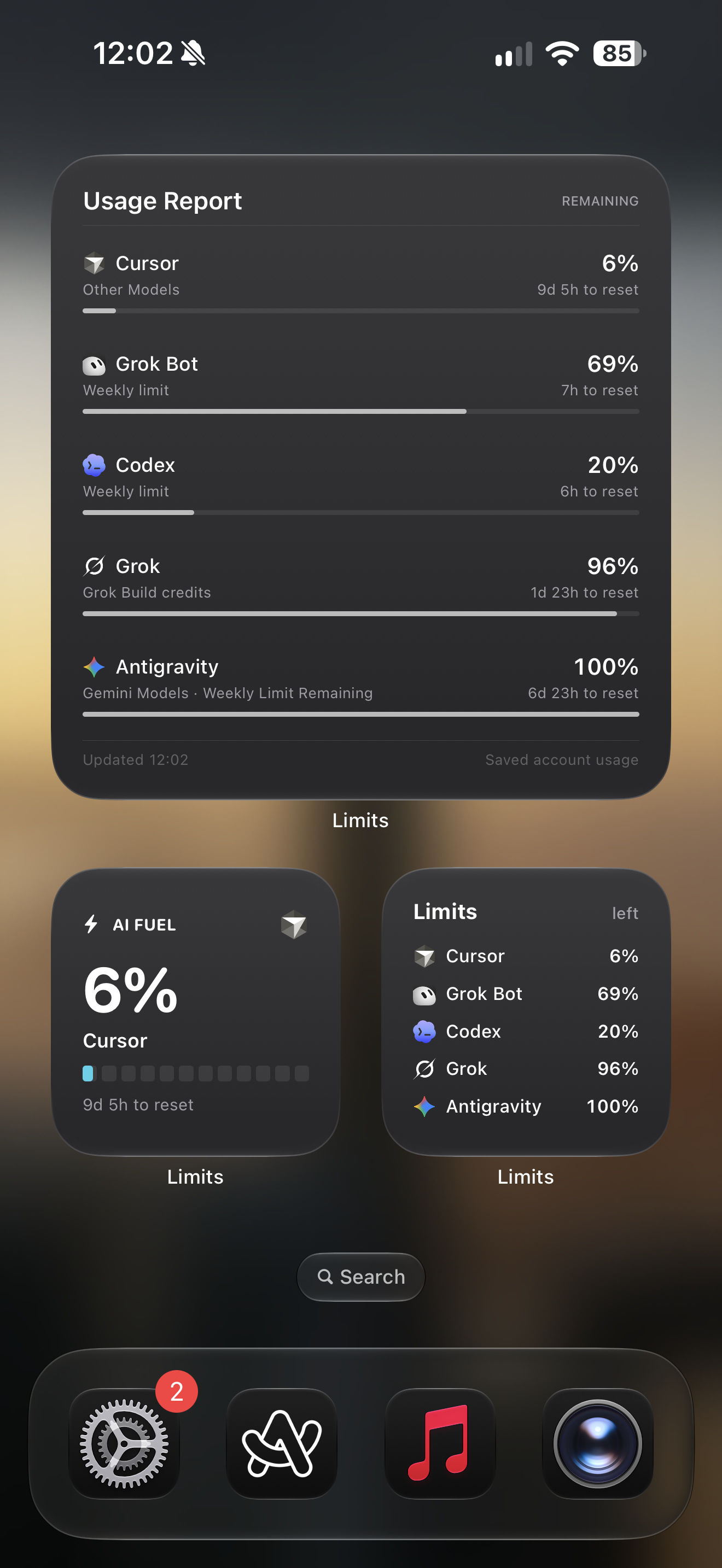
Put a saved usage view on your Home Screen or Lock Screen. Choose the account and allowance each widget displays.
AI usage tracker for iPhone
Limits brings your AI allowances, reset times, and usage history together in one place. Check once and get back to work.
No Limits account · No subscription
Works with
Overview
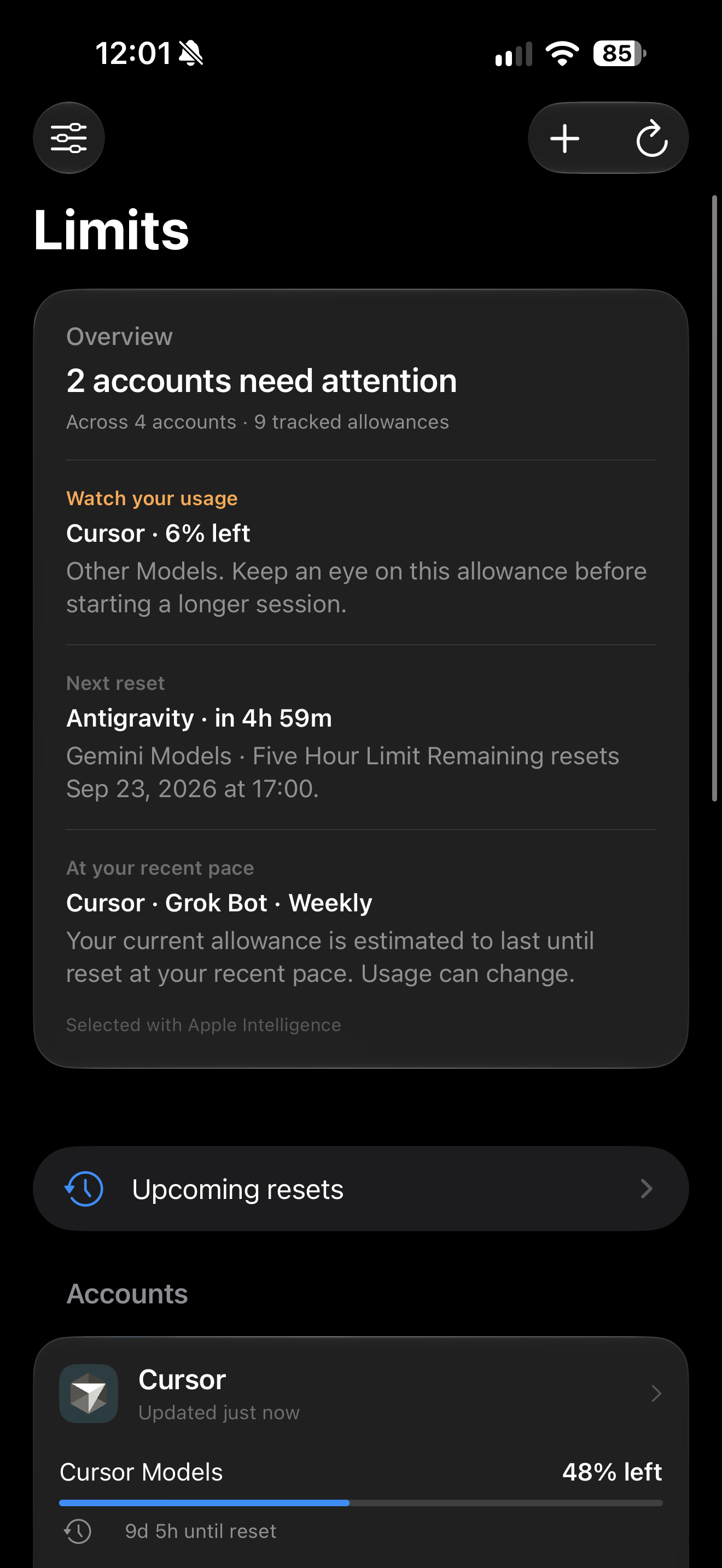
See what needs attention across your accounts, which allowance resets next, and what your recent pace suggests. Every number comes from provider usage data.
Connections
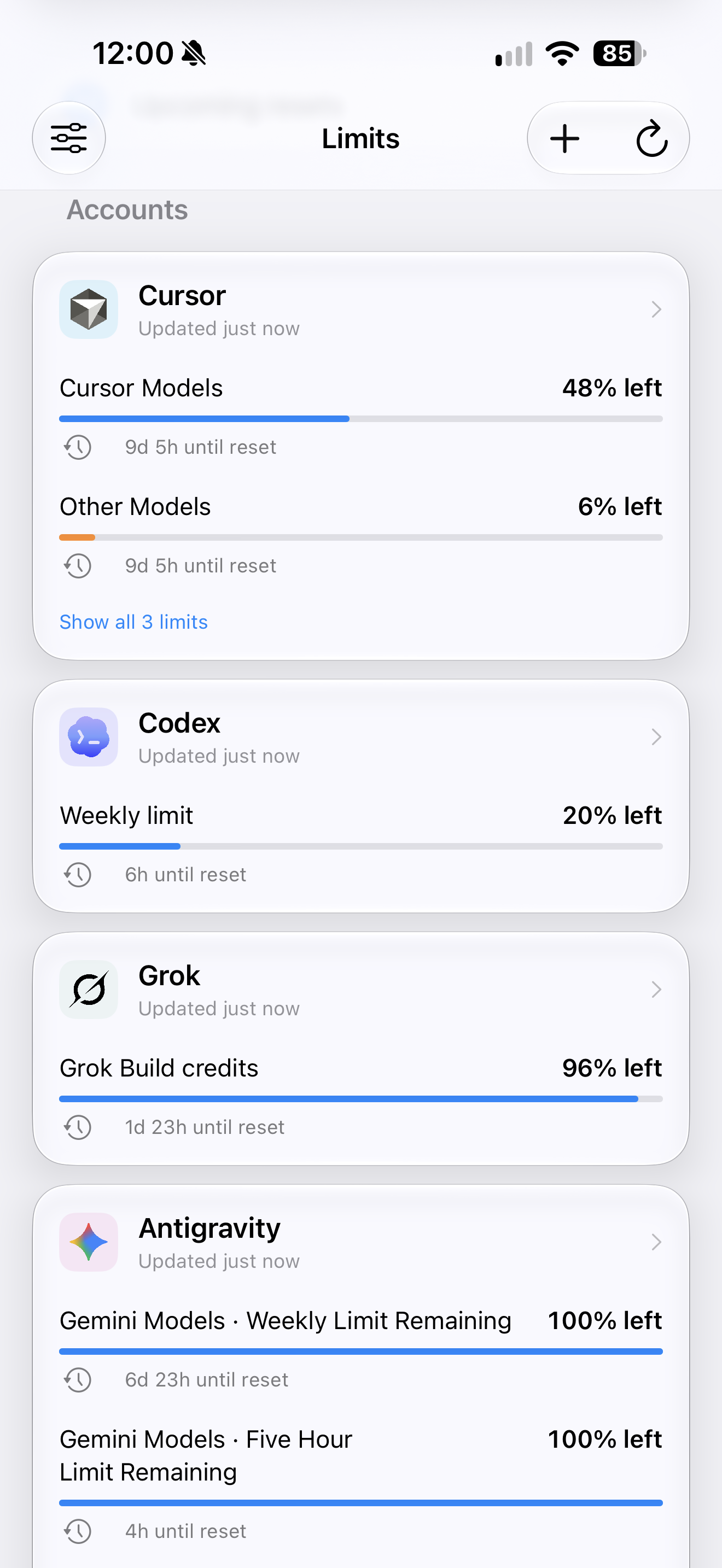
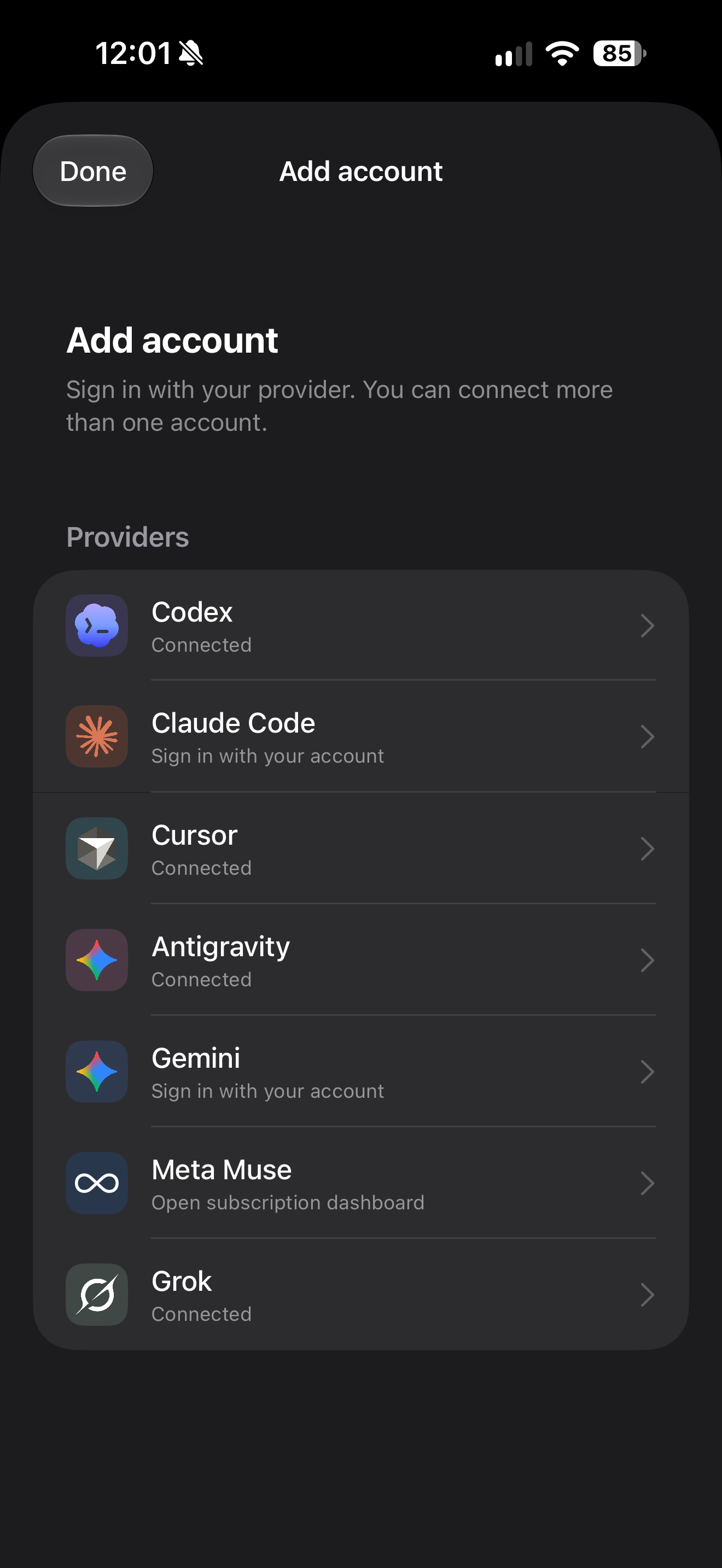
Connect the providers you already use. Limits reads available usage windows and reset times, then lets you choose what appears on your dashboard.
Authorize with the provider in its own sign-in flow.
Pin, reorder, hide, and group the accounts you want to see.
Refresh on demand or see the latest saved usage.
Meta Muse opens its subscription dashboard; automatic Muse quota sync is not available.
Beyond the dashboard
Put a saved usage view on your Home Screen or Lock Screen. Choose the account and allowance each widget displays.
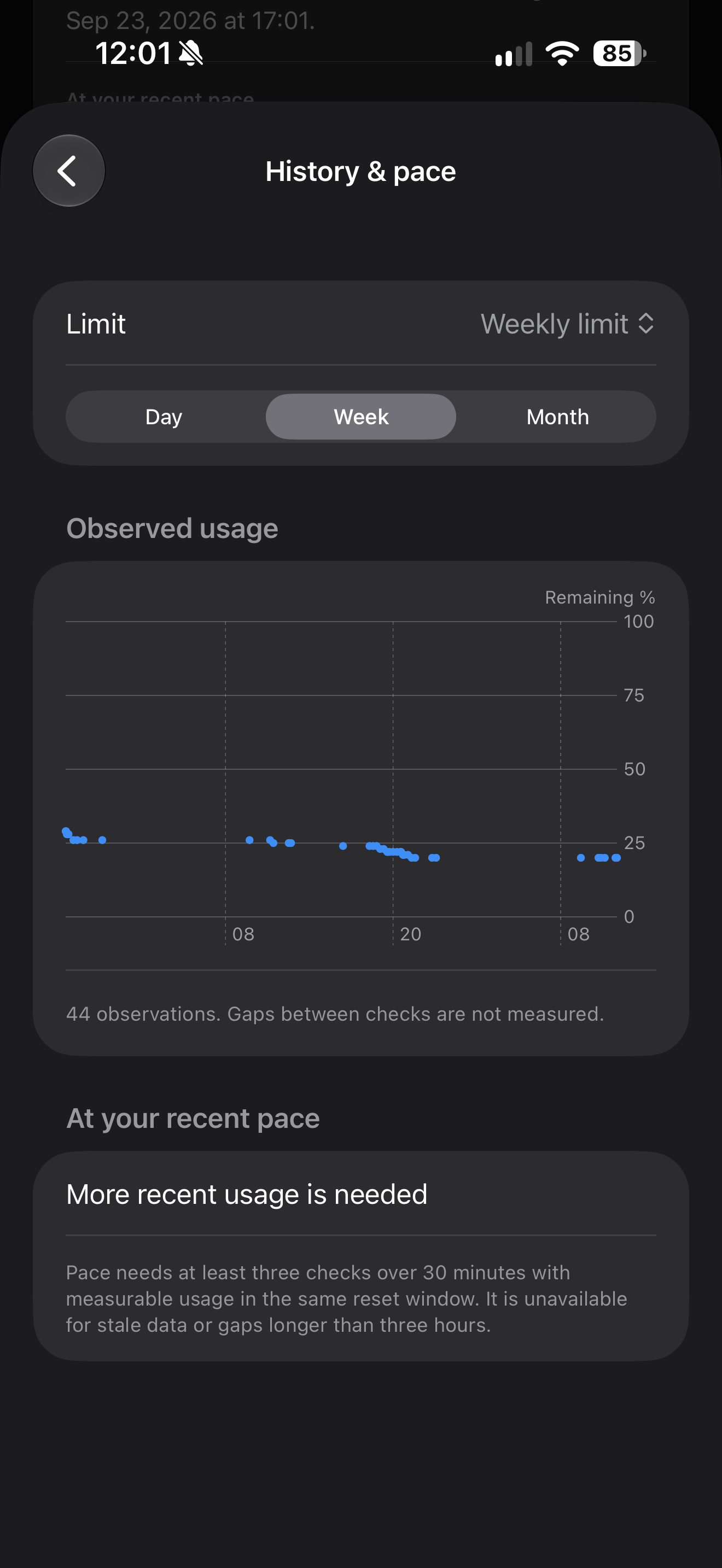
Review local day, week, and month observations. Pace estimates appear only when there is enough recent data.
Low balance alerts, reset reminders, and quiet hours. Delivery depends on iOS notification scheduling.
Refresh usage, check your lowest allowance, or open an account from Shortcuts.
Credentials stay in device Keychain. History is stored locally for up to 90 days.
Privacy
Limits contacts your connected providers to read your account usage. It does not run a Limits account service. Your credentials live in iOS Keychain, while saved usage and preferences stay on your device.
Read the privacy policyFAQ
Limits supports connections for Codex, Claude Code, Cursor, Gemini, Grok, and Antigravity. Cursor may also expose Grok Bot usage. Meta Muse is a link to its dashboard rather than an automatic connection. Available data depends on each provider’s account and APIs.
No. Limits has no separate account or subscription. You use your existing provider accounts, and their own plans and limits continue to apply.
Widgets show the latest saved usage. iOS decides when background refresh and widget updates run, so opening Limits and refreshing is the most reliable way to confirm a current balance.
Limits keeps the last successful reading and marks it as saved or stale. A reset countdown reaching zero does not prove the allowance has renewed.
Provider credentials are stored in iOS Keychain. Saved account usage, settings, and up to 90 days of history are stored on your device for the app and its widgets. Read the privacy policy for details.